| Support Category: Performance | Performance Reviews |
| Specialist Notes: |
This SR provides steps to help users print or download their full Performance Review to keep it as a record. The downloaded file will be generated as a PDF file.
- Note: The downloaded PDF includes all comments, ratings, and manager feedback currently visible in the system. If no manager feedback appears, it means the user's manager has not yet reviewed and signed off on the review.
If the user is trying to print a completed or past Performance Review, please ask them to check the ‘Completed’ checkbox under the 'My Assigned Reviews' page.
| Standard Response: |
You can download or print your full Performance Review directly by following the steps below:
1. From the welcome page, click 'GO TO PERFORMANCE'.
2. Select 'Reviews'.
3. On the Performance Review Summary page, click the title of your Review.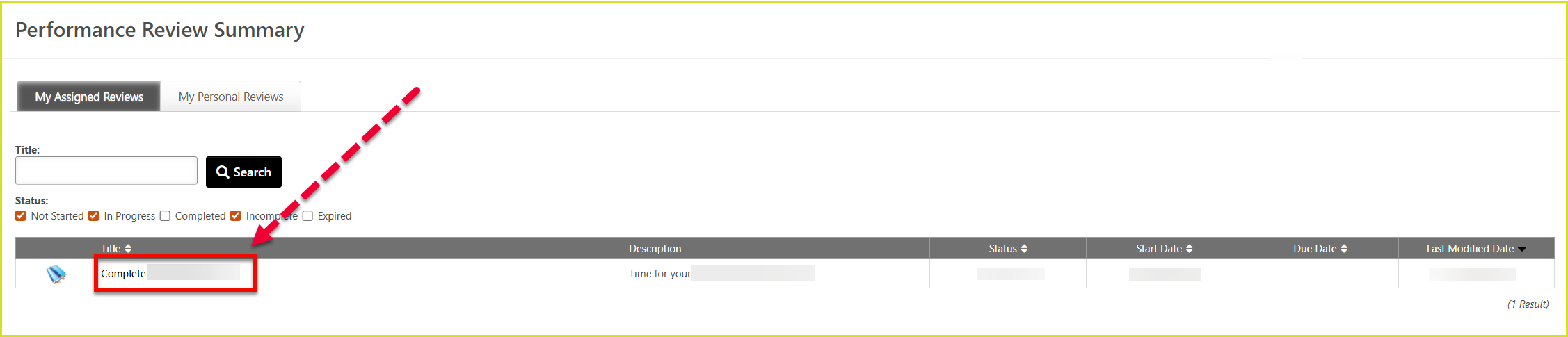
4. On your Self Review page, click the down arrow next to SECTIONS.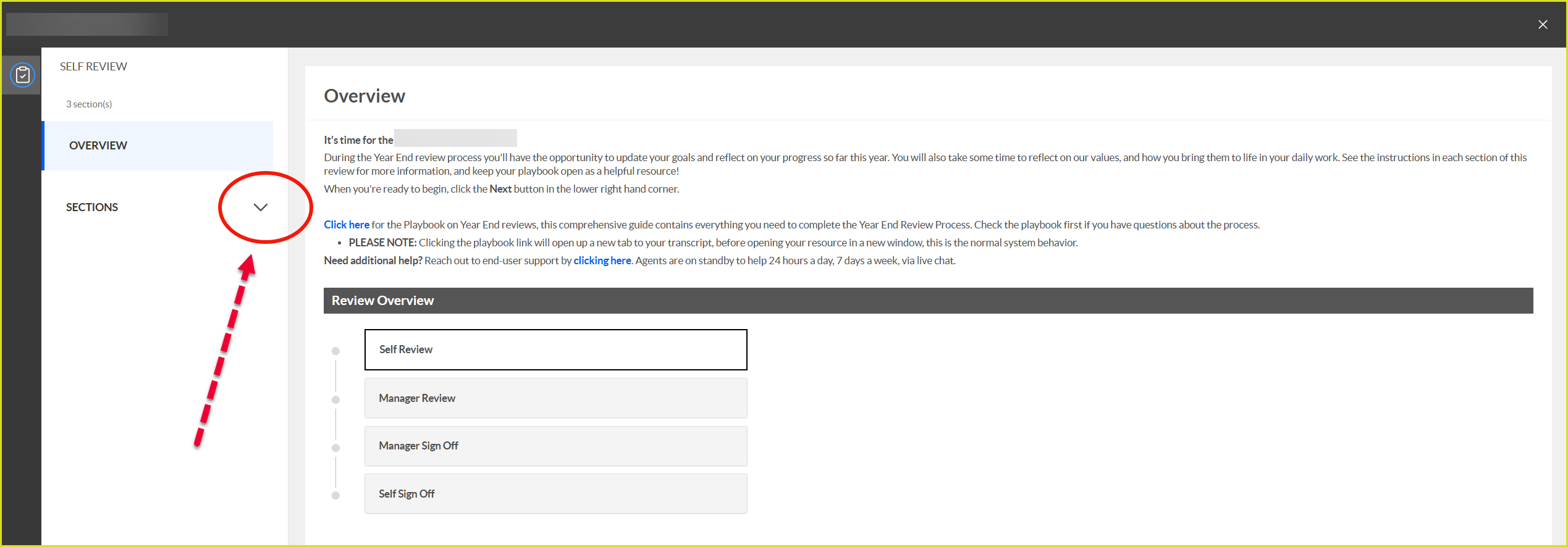
5. All review sections will appear. Click the down arrow next to the Options button in the top corner.
6. From the dropdown menu, select 'Print Review' to automatically download a PDF of your full Performance Review.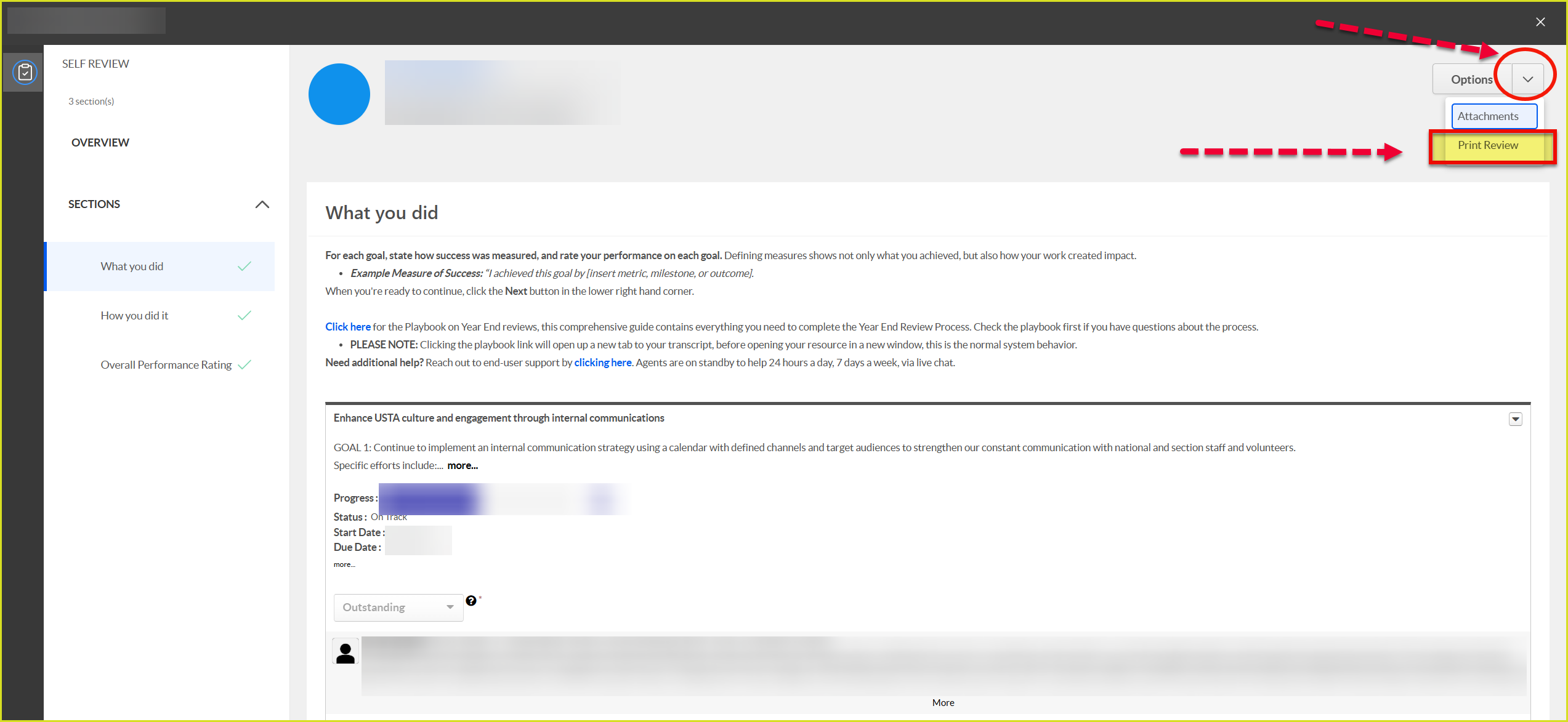
If you experience any issues or need further assistance, please let me know.
